
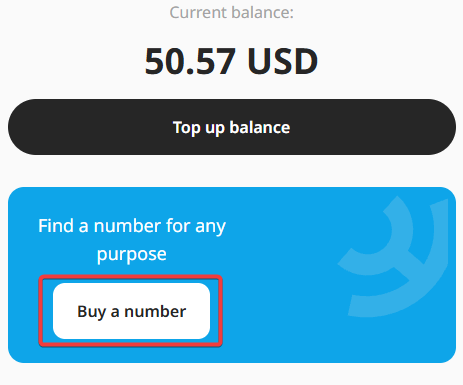
- To get started, click the “Buy a Number” button.
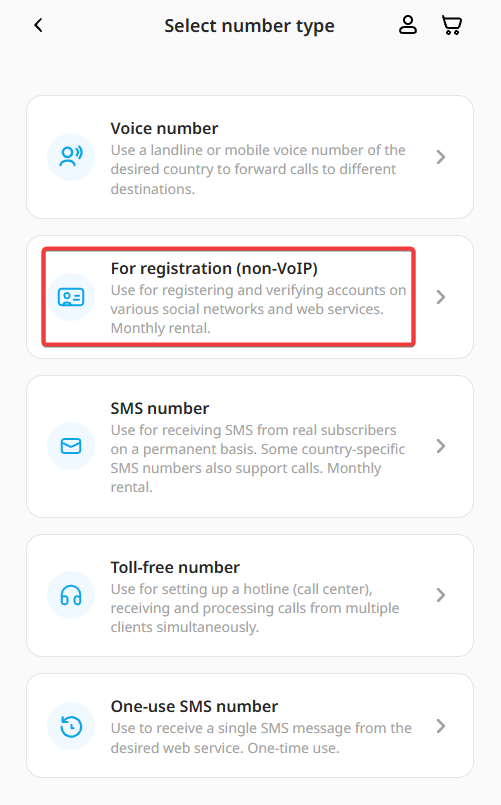
- You will then be presented with a choice of five options. Let's choose the “For Registration” option as an example.
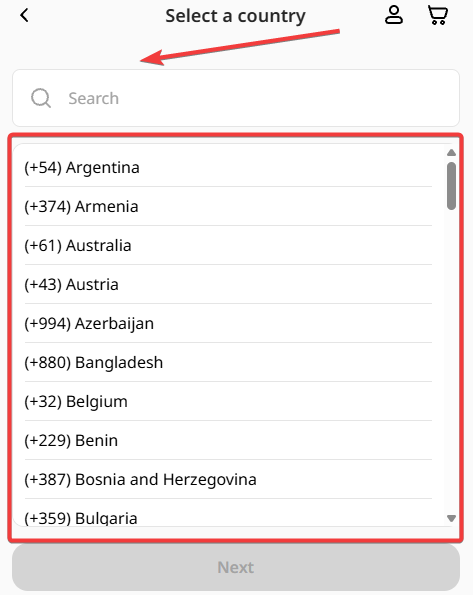
- When you click the button, you'll see a list of countries and phone numbers available for rent. There's also a field above the list where you can select the country you're interested in.
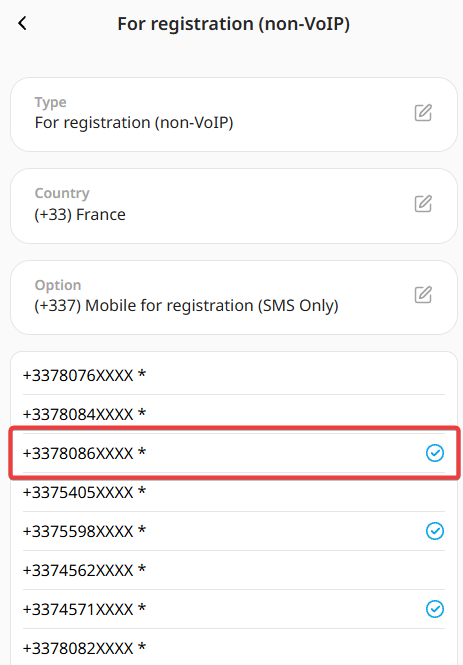
- Choose the option that works best for you. We have numbers for receiving calls, and we have numbers for receiving both calls and SMS / OTP (One-Time-Password) messages. The second option is more expensive, so I chose a number that can only receive SMS / OTP messages. An example is shown in the photo below.
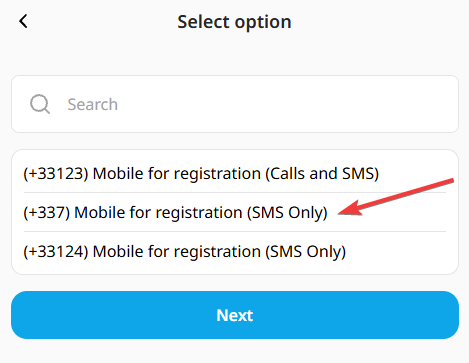
- Select one of the options listed. You can also select multiple numbers if you want to order several at once.
- Note: There are two types of numbers: those with manual activation and those with instant activation. Numbers that are activated automatically are marked with four Xs at the end (see the example in the photo).
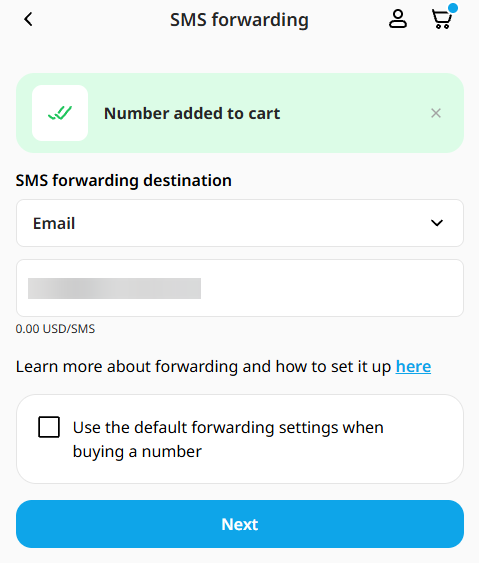
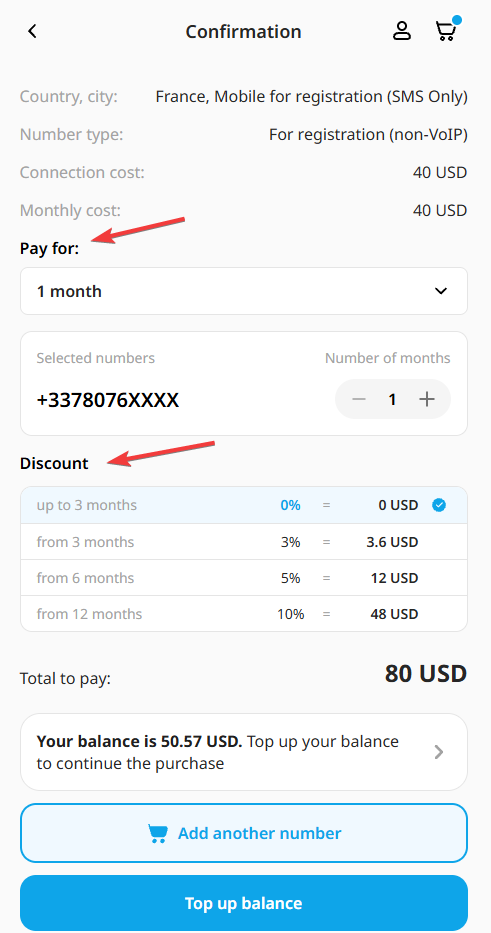
- That's it. The number you ordered has been successfully added to your cart. Go to your cart and complete your order. You can also receive a discount when you order a number for 3, 6, or 12 months—3%, 5%, and 10%, respectively. As soon as your order is completed, you will receive an email notification.
At this point, your phone number order has been completed. Enjoy all the features your new purchase has to offer.
