
We’re pleased to present the new version of your personal account.
Here’s what the old features look like now:
Personal Account Settings
Purchase New Numbers
Top-Ups and Transactions
SIP Accounts
Your Numbers
New features:
Bulk Purchase
Set a single call/SMS forwarding method for multiple numbers
SMS Statistics
Personal Account Settings
All your account details are now located in the upper-right corner of your personal account and in the “Profile” tab under “Statistics” at the bottom of the page. 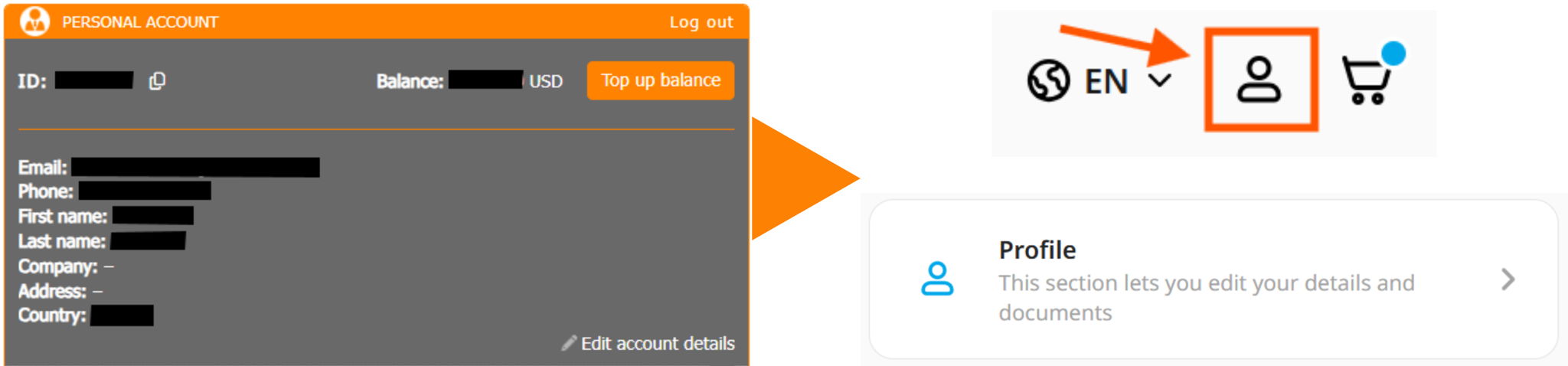.png)
Purchase New Numbers
The option to purchase numbers is now located in the “Order a Number” tab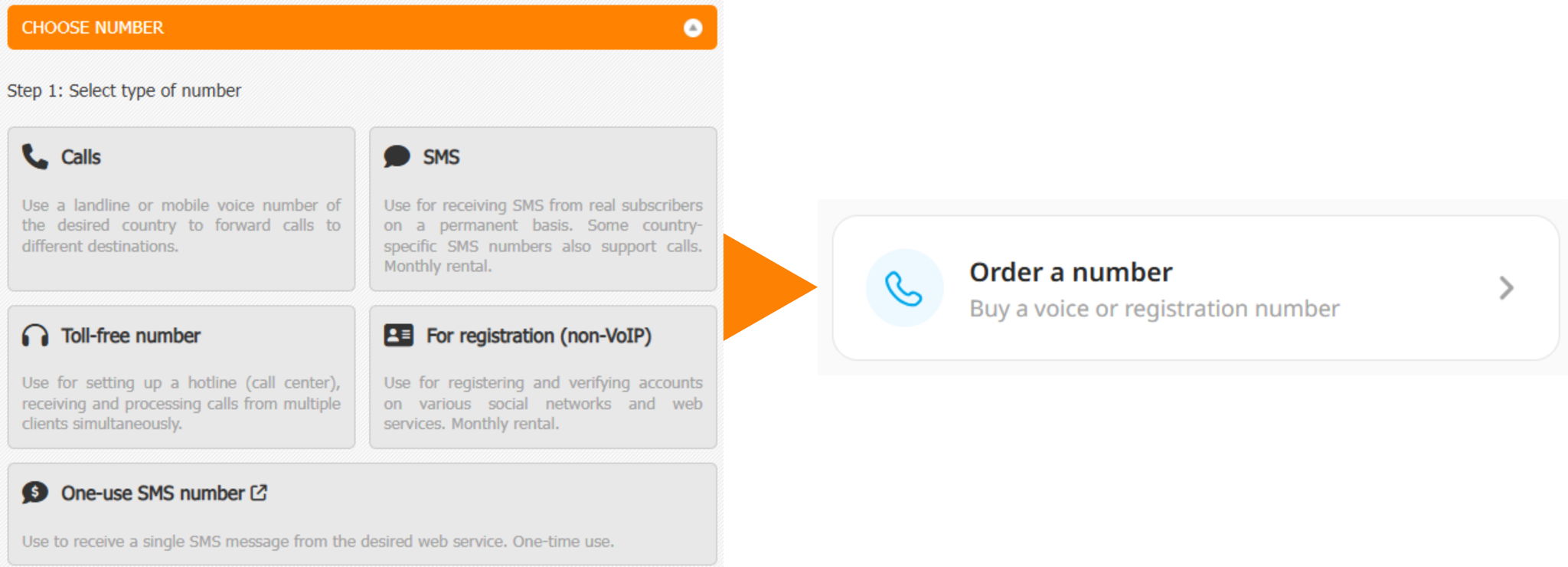.png)
You can read more about how to purchase a number in this article
You can also now buy multiple numbers at once
Top-Ups and Transactions
All your deposits, withdrawals, and transactions related to your account are now listed in the “Transactions” tab in the “Statistics” section of your account dashboard.
.png)
SIP Accounts
Your SIP settings have been moved to the “SIP Accounts” tab in the “Additional” section of your account dashboard..png)
Your Numbers
Your numbers have been moved to the “Your Numbers” tab in the “Statistics” section of your account dashboard.
.png)
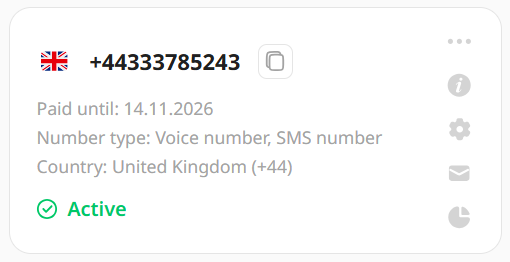
The new number card now looks like this
>Full info
>Number settings>SMS Statistics
>Call Statistics
Bulk Purchase
Now, when purchasing a number, you can select multiple numbers from the same country at once and order them with a single click.
Select the numbers you need, and the total rental amount will be displayed below.
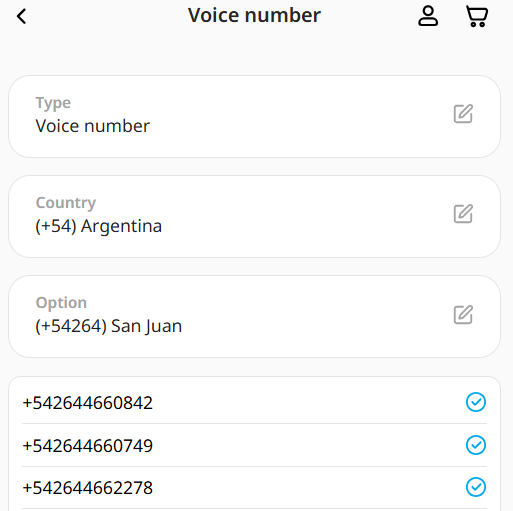
Click “Select More” to select other numbers to purchase. Click “Next” to proceed to forwarding options for the selected numbers. 
You can enter a forwarding method and save it for all future purchases.
See this article for instructions on setting up Call forwarding. You can find out how to set up SMS forwarding here.
You can read more about how to purchase a number in this article.
Set a single call/SMS forwarding method for multiple numbers
To set up a single call forwarding route for several numbers, follow these simple steps:
- Go to the “Your Numbers” tab in the “Statistics” section of your account dashboard
- Click the “Select” button
- Select all or some numbers, then click “Select action”
- Click “Configure”
- Select the desired forwarding methods, then click “Save Data”
See this article for instructions on setting up Call forwarding. You can find out how to set up SMS forwarding here. - That’s it – forwarding settings have been set up for several numbers at once.
SMS Statistics
SMS statistics are now available for all your numbers at once in a single tab in the “SMS” tab in the “Statistics” section of your account dashboard.
By default, you will see a full list of all messages received by your numbers. You can filter them by date or select messages from a specific number. You can also sort them by a range of criteria: By date, by sender, by recipient, by cost, by status.
