- Transaction tab
- Automatic renewal of number rental, discounts
- A negative balance. How to restore numbers after deletion?
Read this article to find out how to top up your balance, the available top-up methods and the minimum top-up amounts.
Transaction tab
All your deposits, withdrawals, and transactions related to your account are listed in the “Transactions” tab in the “Statistics” section of your account dashboard.
You can sort and view top-up and withdrawal transactions separately. By default, you can see them all.

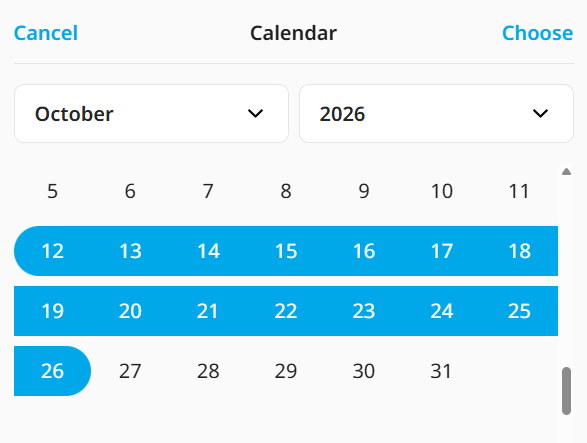
Click "Filter", then "Select period" to view transactions for a specific time period.
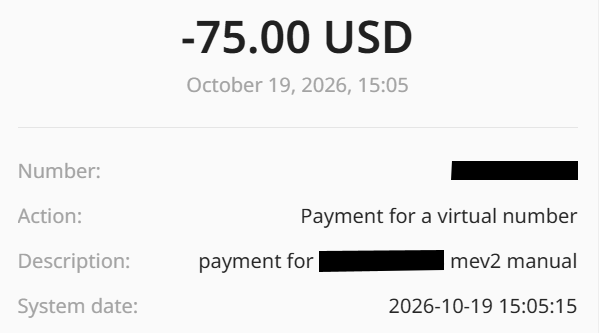
Click on a specific transaction to view the details.
Automatic renewal of number rental, discounts
All our permanent numbers can be hired for a minimum period of one month. At the end of the hire period, the subscription fee will be automatically deducted from your account balance.
To avoid monthly top-ups, you can purchase the number outright for 3, 6, or 12 months and receive a nice discount of 3%, 5%, or 10%.
This discount is applied automatically at the time of purchase; to extend an existing active number for a few months at a discounted rate, contact customer support.
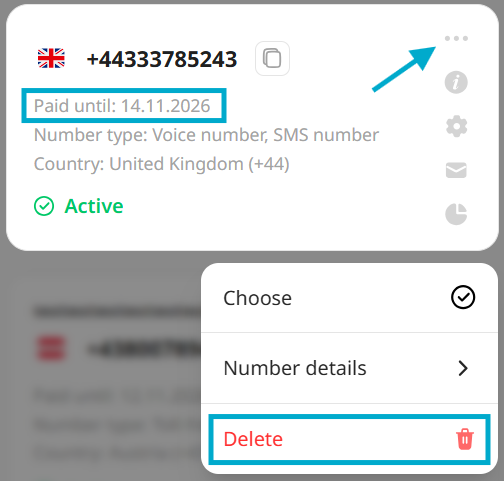
If you no longer need the number, simply delete it one day before the funds are debited. To do this, go to the "My Numbers" tab, tap the "..." in the top right-hand corner of your number’s card, and tap "Delete".
The charge date is shown on the Number card as "Paid until"
A negative balance. How to restore numbers after deletion?
Sometimes, as a result of the automatic deduction of the subscription fee, your account balance may go into the red. If your balance is negative, all services will cease to work. You will not receive calls or text messages via the specified forwarding methods until you top up your balance.
All your numbers will be removed from your account if the debt remains unpaid for more than a week.
You can also always contact us if your payment is a few days late, but you intend to top up your account; we will add your account to the exemption list, and your numbers will not be deleted by the agreed deadline.
To request the restoration of a number after it has been deleted, top up your balance and contact support.
If the number can be recovered, it will be reinstated with all its previous details, including the activation date. If one or more monthly subscription fees are outstanding, these will all be deducted from your account balance upon reinstatement.
There is no guarantee that a number can be recovered after it has been deleted from an account with a negative balance.
